All-in-one Microsoft Planner Add-on
Manage multiple Planner projects with Gantt charts, customizable dashboards, and automated workflows. Plan, track, and report work across one or multiple plans with real-time synchronization.
Microsoft Planner All-in-one Benefits
Comprehensive project management capabilities for Microsoft Planner
✨ Key Features
- Visualize timelines with Gantt charts
- Build custom dashboards
- Manage multiple plans together
- Filter and customize task views
- Automate workflows
- Sync with Trello boards
👥 Perfect For
- Program managers overseeing multiple projects
- Teams needing timeline visualization for planning
- Stakeholders requiring progress reports and dashboards
- Cross-functional teams collaborating across programs
- Operations teams managing supplier timelines
- Scrum masters tracking sprint metrics
Start with a 15-day free trial. Get started in minutes. No credit card required.
Visual Planning
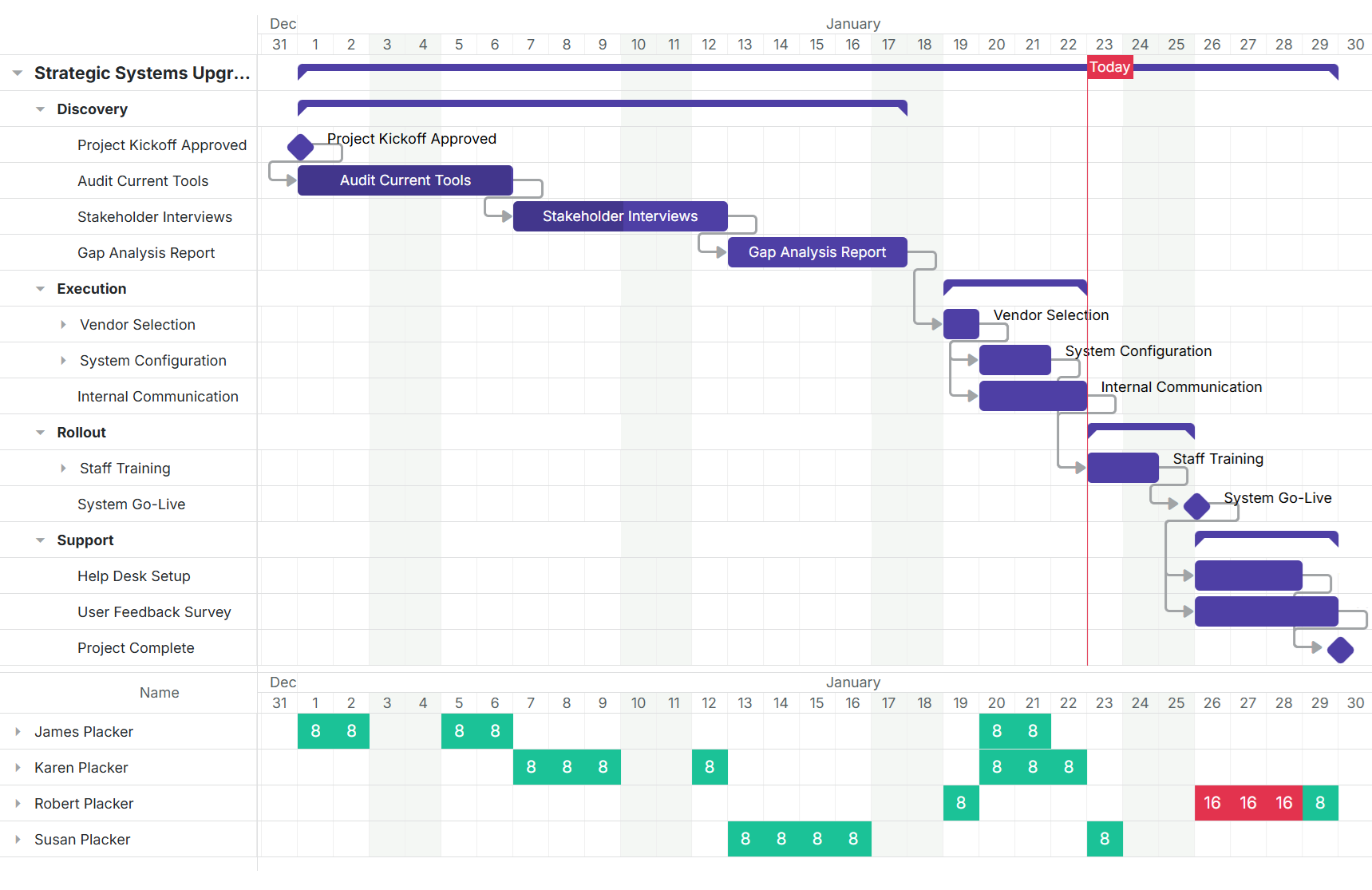
Gantt Chart Timeline View
Display project timelines with dependencies, milestones, and critical paths. View single projects or combine multiple plans into one unified Gantt chart for portfolio-level visibility.
- Visualize timelines with Gantt charts
- Display single or multiple project timelines in visual Gantt format with dependencies and milestones
- Manage multiple plans together
- View and manage tasks across multiple Microsoft Planner plans with automatic two-minute synchronization
Track Progress
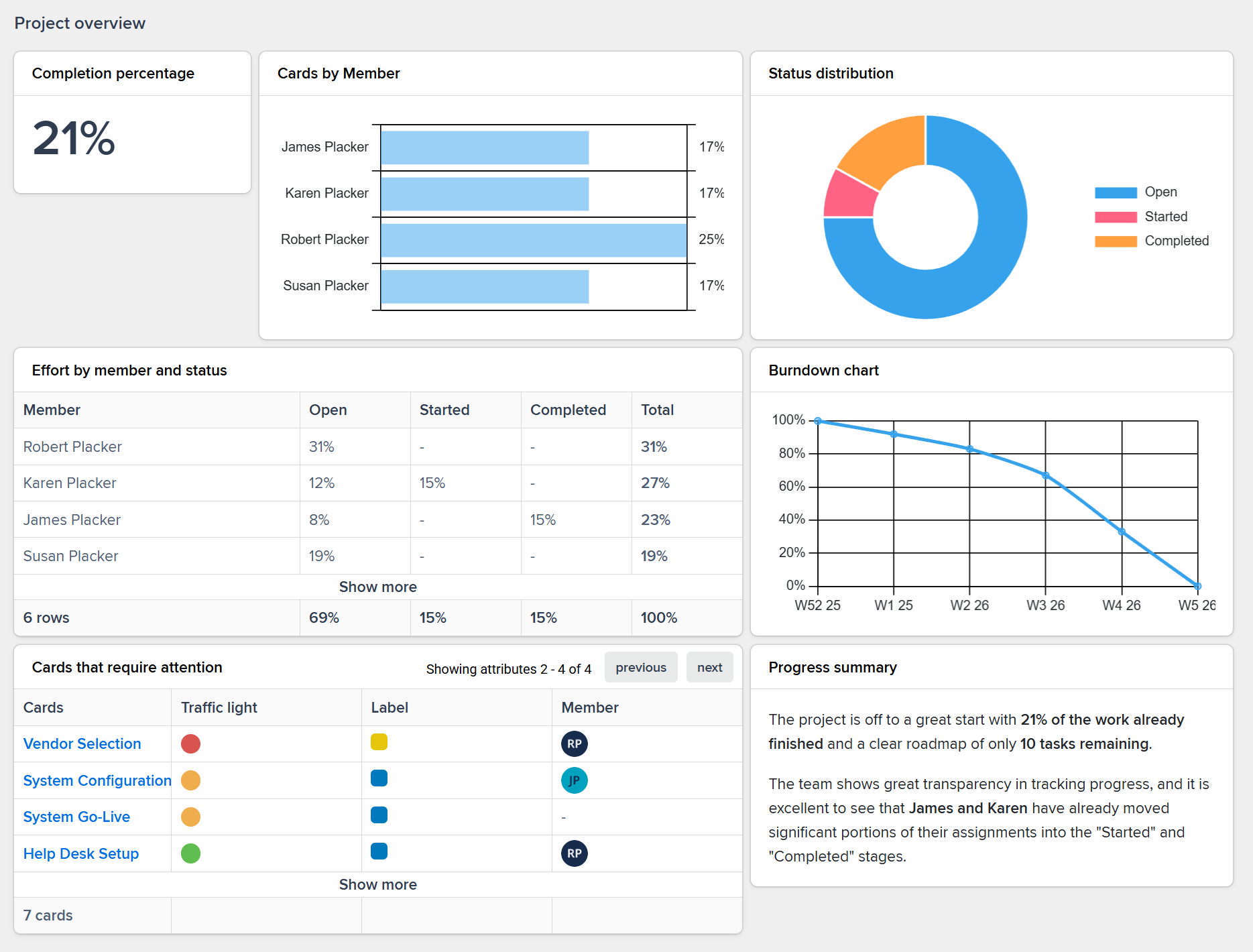
Real-Time Dashboards & Metrics
Build customizable dashboards with counters, graphs, and trackers. Monitor kanban flow, sprint velocity, project health, and team performance with automatic updates every two minutes.
- Build custom dashboards
- Create dashboards with counters, graphs, and trackers for kanban, scrum, and project management metrics
- Filter and customize task views
- Filter tasks by assignee, due date, work package, or priority to focus on what matters
Save Time
Workflow Automation & Sync
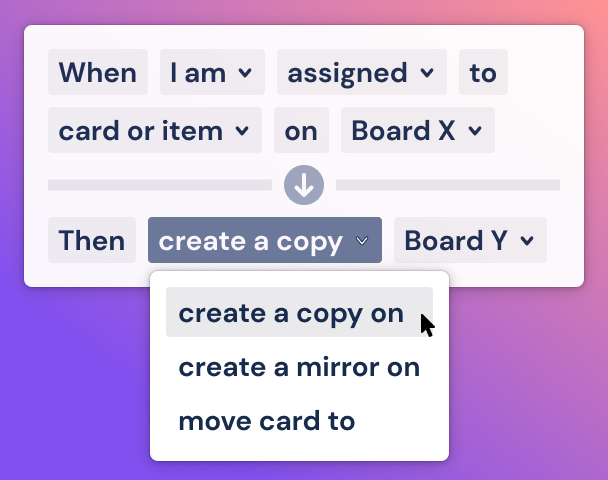
Create automated rules to copy or mirror tasks across plans. Maintain continuous synchronization with Trello and Planner for cross-platform collaboration without manual updates.
- Automate workflows
- Set up automated rules to copy or mirror tasks across plans when conditions are met
- Sync with Trello boards
- Maintain continuous synchronization between Microsoft Planner and Trello for cross-platform teams
Ready to supercharge your Microsoft Planner projects?
Start your 15-day free trial today. No credit card required.