Build a Trello master board from the boards you already run
A Trello board only ever shows its own cards, and there is no cross-board kanban. Placker puts all of them in one view, and your cards stay in Trello.
Trello has no card view that spans boards
Two routes build a Trello master board, and a board group is the fastest start:
Who This Is For:
- Start with a board group.Pick several Trello boards and Placker loads them into one view without copying or moving a card, so closing the group leaves each board where your team left it.
- Mirrored cards land back in Trello.The mirror route collects synced copies on a destination board Trello treats like any other, so a teammate who never opens Placker still sees the consolidated set.
- Combine keys on your list names.Board Split: Combine stacks columns whose titles match from the Placker web app, so boards running different list names need pointing at a shared status first.
- A rule adds and retires cards for you.A mirror rule brings in whatever matches your trigger and clears it out through a reverse action once it stops matching, and one press of Execute now sweeps in what is already there.
The Trello gap
A Trello board can only ever show its own cards
Lists and labels organise one board. Nothing in Trello organises ten.
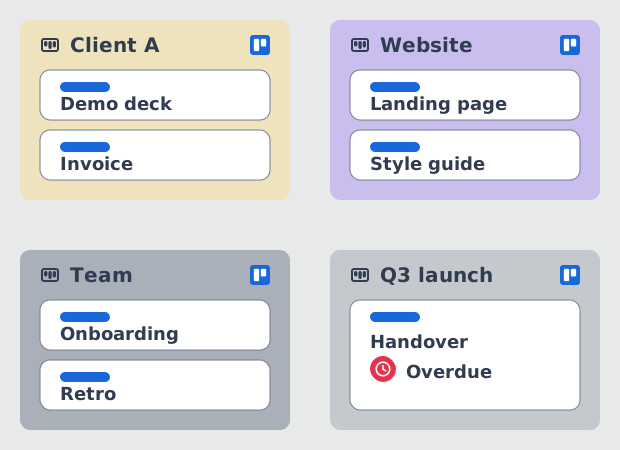
A Trello board is a closed container. Open your Client A board and you see that board's lists and cards, and nothing from the nine other boards your team runs. Trello's own answer to the cross-board question is the Workspace Table and Calendar views. Both read across a workspace, both sit on a paid Trello tier, and neither is a kanban you can work in, so the card you want to move still has to be moved on its own board. Card linking is native to Trello, and it gives you a jump to a card somewhere else rather than a place that holds it.
What Placker adds
Two routes on top of the boards you already have
One aggregates your Trello boards. The other builds a Trello board that holds them.
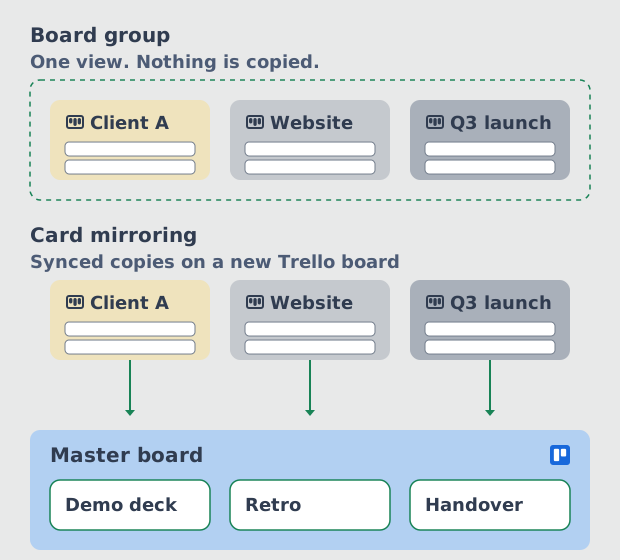
Placker reads the Trello boards you have imported and gives you two routes. A board group is the aggregation route: pick the boards, and Placker loads them into one view without copying or moving a card. It needs the least setup, so start there. Card mirroring is the consolidation route. Mirrored copies collect on a destination board and stay in two-way sync, and because that destination is a real Trello board, the consolidated set shows up in Trello for teammates who never open Placker. That is the one thing a board group cannot do, and it is the reason a Trello team takes the longer route.
What changes
One board to read, and Trello left as it was
Your cards never left their boards. Nobody's workflow had to change.
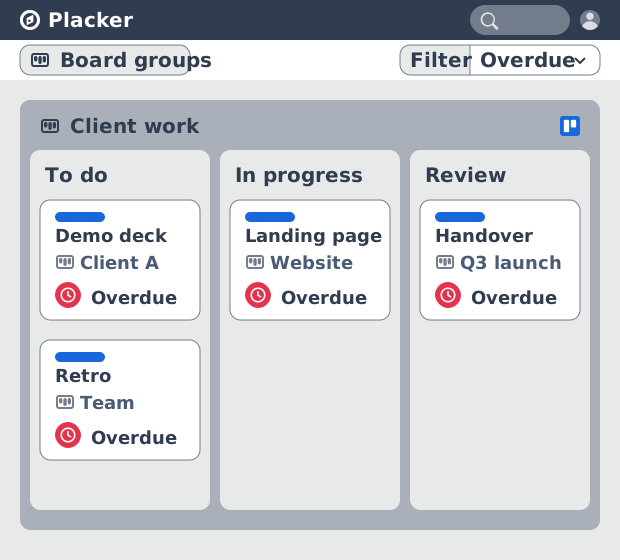
One view now answers the question you used to answer by opening tabs. Filter it to overdue and the exceptions surface from every board at once, so the quiet client board stops hiding the card that slipped. Each team still owns its board, its list names and its labels, and nobody had to agree to a shared mega-board or move a single card. Take the mirror route as well and the master board exists inside Trello too, so the teammate who never opens Placker reads the same set you do. That grouped selection also drives a cross-board Gantt and a cross-board report.
Turn it on
Enable the Power-up, then build the group
Route A starts in the Trello board menu. Routes B and C build the destination board.
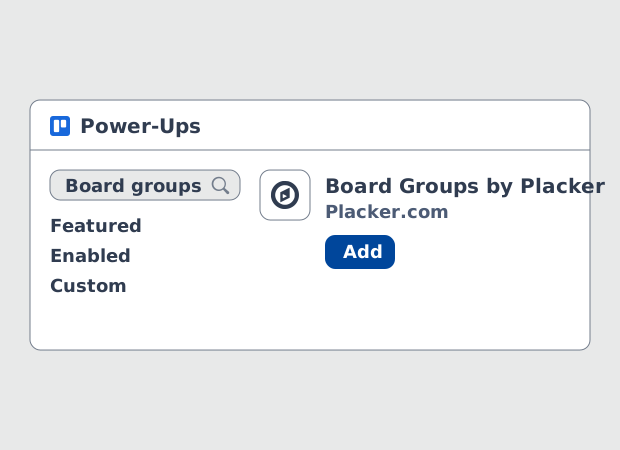
Route A is the fast one, and it starts inside Trello. Take Route B or C when the consolidated set has to be an actual Trello board that teammates can open, and take C specifically when you want it to stay accurate without anyone tending it. Nothing works until Placker has imported the boards. Keep track of where you are as you go: Combine and the mirror settings are Placker web app controls, not Trello ones.
Related capabilities:
- Route A: build a board group (recommended)
- Route B: mirror cards onto a destination Trello board
- Route C: let mirror rules maintain the board
The master board you just built in Trello
Every board in one view, and every card still sitting on the board it came from. Your cards are still in Trello. You added a view, not a migration. No board was restructured, no workflow renegotiated, and no team had to agree to anything. One saved selection now answers across every board you put in it, and the same selection carries into the timeline and the report.
Every Trello board on one surface
Every card in the group still belongs to the Trello board it was created on. The card front tells you which one, so you can read across boards without losing track of whose work you are looking at.
Lists that stack instead of repeating
With Combine applied in the Placker web app, the To Do lists from four boards read as one column, so the group works like a board rather than four boards parked next to each other.
A master board your team can open in Trello
If you also took the mirror route, the destination board is an ordinary Trello board. Anyone with access opens it in Trello and sees the same set, kept current by the rules you set.
Tips & Best Practices
Practical advice to get the most out of your workflow
Map the lists instead of renaming someone else's board
Asking another team to rename Backlog to To Do is a negotiation you do not need. Map both lists to the same status through progress tracking and the merged view behaves.
Butler automates one board, Placker rules reach across boards
Keep Butler for what happens inside a single board. Use a Placker mirror rule when a card has to appear on a second board and stay in sync with the first.
Enable the Power-up on every board you want to see
A board that was never imported cannot appear in a group or receive a mirror. When a card you expected is missing, check the source board before you check the filter.
Sharing the group does not share the Trello boards
A colleague who opens your group URL sees only the boards their Trello account can already reach. If their view looks thin, the fix is board access in Trello, not the group.
Give a mirrored card a few seconds to catch up
Sync runs through the Placker backend before it reaches your browser, so an edit takes a few seconds to show on the mirrored card. That delay is the design, not a fault.
The Power-ups behind your master board
Board Groups builds the view. Card Mirror and Advanced Mirror build the board.
Board Groups (By Placker)
- Description
- Combine any numbers of boards in a boardgroup to manage cards effectively across boards

Card Mirror & Sync (2 way) by Placker
- Description
- Mirror & Sync cards across boards. Winner Atlassian codegeist, best app for remote working.
Advanced Mirror
- Description
- 🧭 Turn mirror links into fully synchronized cards that work just like any other card. Created by the mirror & sync experts at Placker.com
Ready to supercharge your Trello boards?
Start your 15-day free trial today. No credit card required.