Card Duration for Trello
Visualize countdowns till due date or time between start or end date and adjust your timelines accordingly. Track time spent on every card.

What is Card Duration for Trello (by Placker)?
Card Duration by Placker is a free Trello Power-Up that enhances task transparency by automatically displaying time-related metrics directly on cards. By calculating the span between start and due dates, it provides instant insights into task duration, real-time countdowns, and overdue alerts.
✨ Key Features
- View total time for each card
- Track time until task becomes overdue
- Prevent missing deadlines in your projects
👥 Perfect For
- Agency teams managing multiple client projects
- PMO leaders managing multiple program portfolios
- Project managers coordinating cross-platform teams
- Team performance analysis
Start with a 15-day free trial. Get started in minutes. No credit card required.
See how long until due date
Visualize Deadlines
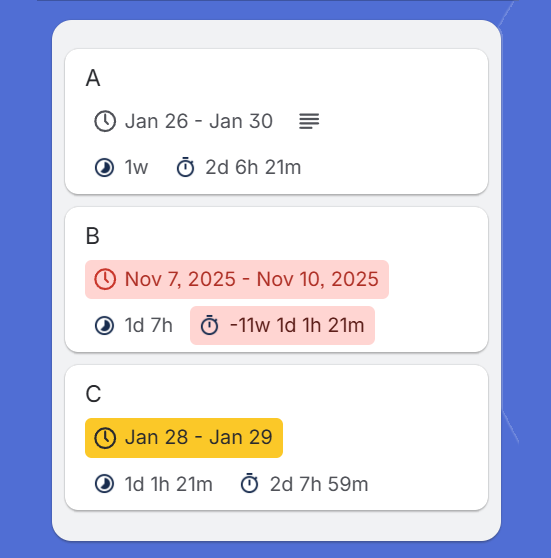
Instantly see how many days are left until a card is due
- Countdown to Due Date
- Instantly see exactly how many days, hours, and minutes are left until a card is due.
- Smart Work Hours
- Configure working days to exclude weekends and holidays for accurate deadline countdowns.
- Urgency Indicators
- Visual badges highlight approaching deadlines so you know exactly what to prioritize next.
Understand the time it takes
Task Duration & Scope
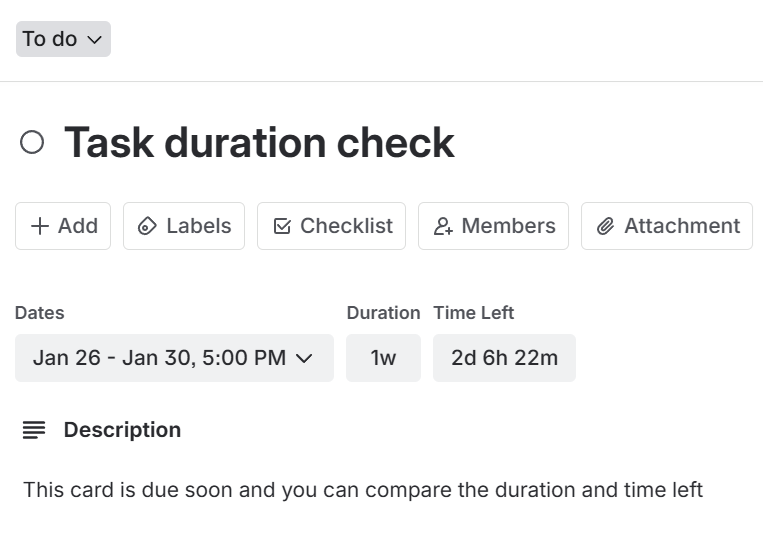
Understand the total time allocated for each task, helping with workload planning
- Automatic Duration Math
- Set start and due dates and the Power-Up calculates the total task duration automatically.
- Flexible Badge Placement
- Toggle duration badges on the card front for visibility or the back to keep boards clean.
- Scope Sizing
- Understand the size of every task at a glance by seeing the duration between start and end.
Take action on past cards
Spot Overdue Work
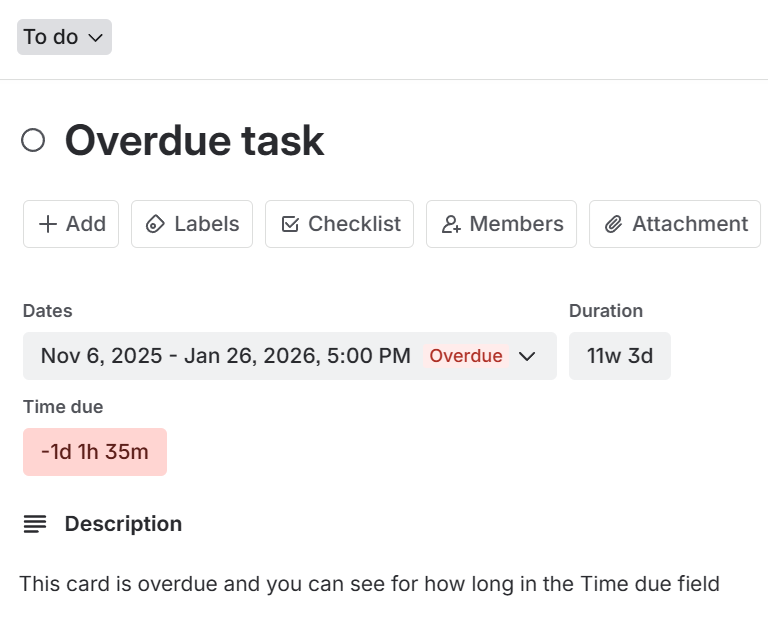
Easily identify tasks that are past their due date and for how long
- Instant Overdue Alerts
- Red badges highlight missed deadlines immediately so nothing slips through the cracks.
- Time Past Due
- See exactly how long a task has been overdue to help prioritize critical recovery actions.
- Board Health Check
- Scan your board to identify slipping timelines and bottlenecks without opening individual cards.
Ready to supercharge your Trello boards?
Start your 15-day free trial today. No credit card required.